OCR that runs on your own computer
Turn scans and photos into searchable text.
Glyphwise OCR reads scanned documents, PDFs and phone photos and gives you searchable PDFs, Word documents, Excel tables, text and data. Every word comes back with its place on the page and a confidence score, so you know exactly which ones to check.
Windows, Linux, macOS No account Works offline

- 97.9%of words found on 38 test pages it never saw
- 0 bytesuploaded: everything runs on your machine
- 29languages, Chinese among them, each with its own language model
- 3platforms: Windows, Linux and macOS
How it works
Five steps from paper to text you can search.
Every page goes through the same pipeline, entirely on your computer.
-
Your files
Scans, PDFs, TIFFs, phone photos. PDFs with a text layer are read directly.
-
Cleanup
Photos flattened, pages turned upright and straightened, shadows and speckles removed.
-
Layout
Columns, tables, form boxes and lines are found and put in reading order.
-
Recognition
A neural network reads each line; a language model settles doubtful letters.
-
Your outputs
Searchable PDF, Word, Excel, fields, text, JSON, hOCR or ALTO.
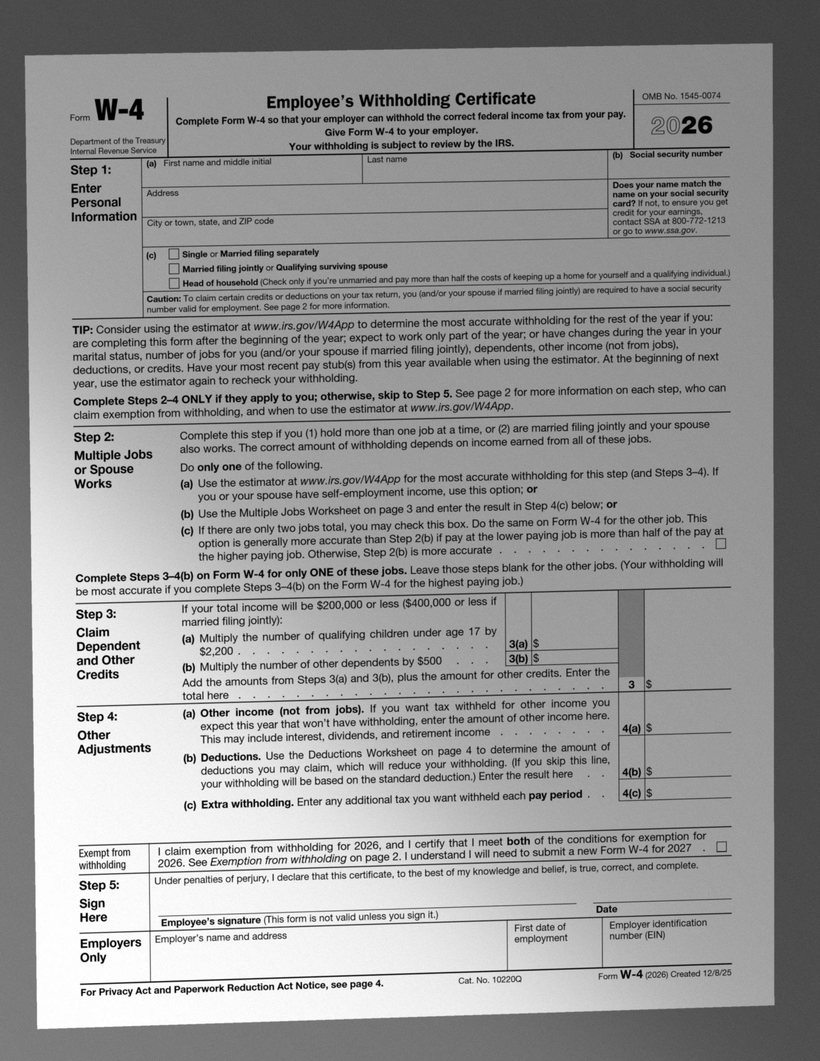
Drop in your files
This IRS form was photographed at an angle in uneven light. See every repair, before and after.
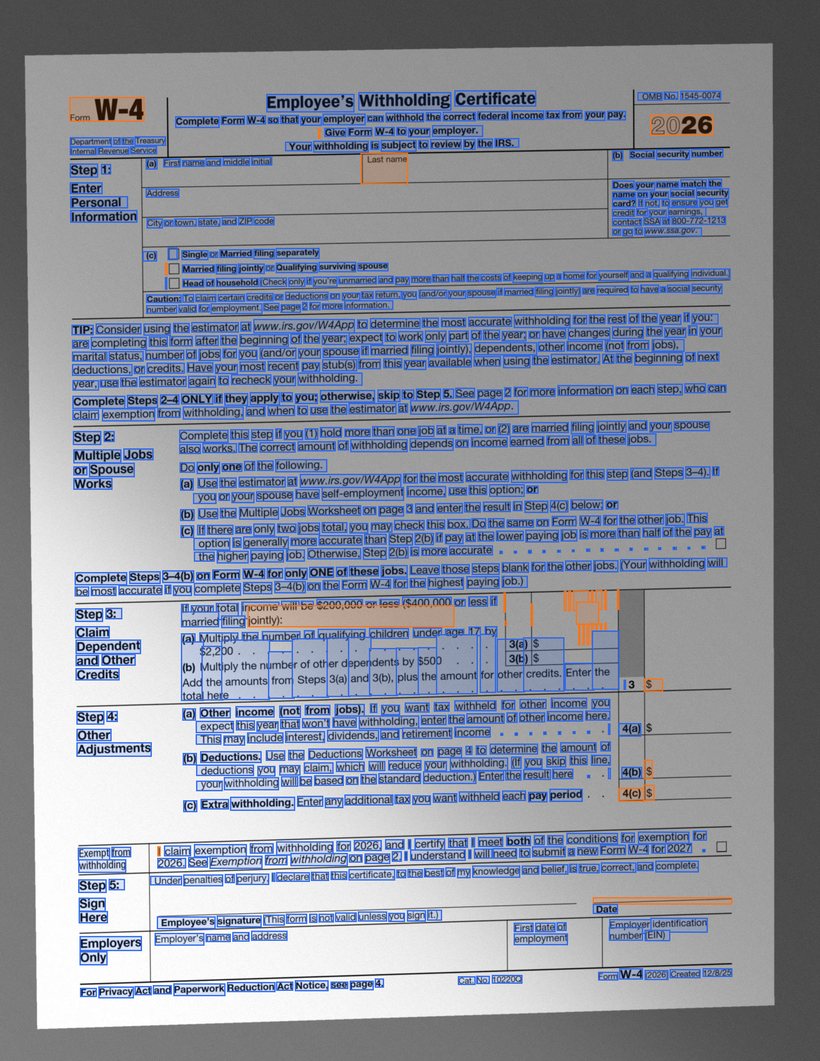
Every word is read
Each word gets a box and a confidence score. Blue means sure; orange means worth a second look.
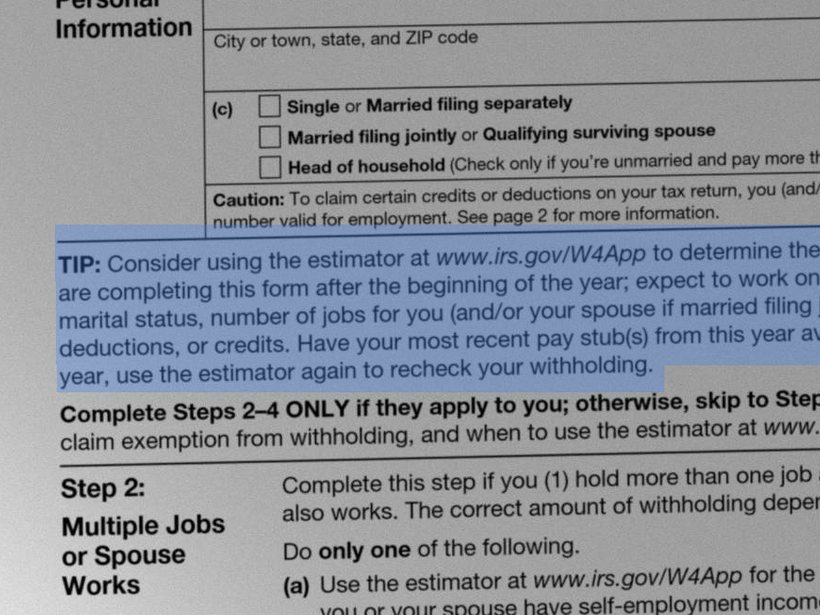
Search, copy, export
The result: a searchable PDF you can select and copy from. Real output of the model in the download.
What you get
One scan in, every format you need out.
Searchable PDFs
Your scan with an invisible text layer. PDF/A, tagged for screen readers.
Word documents
Editable paragraphs, headings, columns and tables in reading order.
Excel tables
Tables found cell by cell, merged headers included. Numbers arrive as numbers.
Forms and invoices
Label and value pairs, ticked boxes, invoice totals and line items, barcodes.
JSON, hOCR, ALTO
Every word with its box and confidence, for your own systems and archives.
A review list
Only the doubtful words, as a spreadsheet, instead of proofreading whole pages.
Measured, not claimed
Fewer errors on real documents.
Tested on public-domain government documents the models never saw in training, with other engines run on exactly the same files.
Full pages, forms included
Words missed or misread (100 − word F1), 38 pages. Shorter is better.
The same pages as phone photos
Photographed at an angle, in uneven light, slightly blurred. Shorter is better.
Damaged and photographed pages Every test, including where others win
Your documents stay yours
Nothing leaves your machine.
Contracts, medical records and tax forms are exactly the documents that should not be uploaded to someone else’s cloud. Glyphwise never connects to the internet.
Four ways to run it
From one folder of scans to your own application.
Pricing
Simple yearly licences.
One payment covers a year of use and every update in it. No automatic renewal, 30-day refunds.
Ready to read your paperwork?
Download the free trial, or try it in your browser right now.